800.942.4447


 Addresses
 Wallet
 Orders
 Invoices
 Item History
 Favorites
 Change Password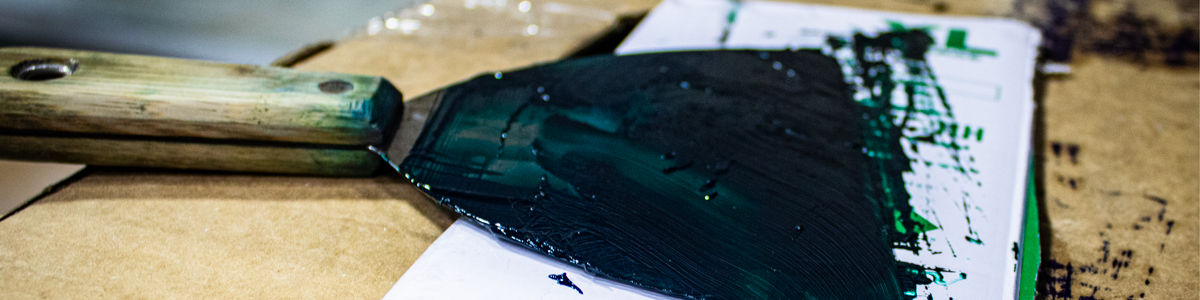
Screen printing ink is easiest to remove before it dries, cures, or becomes mixed with lint and adhesive. A few minutes of cleanup at the end of each job can prevent stains from becoming permanent, protect equipment surfaces, and reduce color contamination on future prints.
The correct cleaning method depends on the ink type and the surface being cleaned. Plastisol, water-based ink, cured ink, pallet adhesive, and screen haze should not all be treated with the same chemical.
Clean Ink While It Is Still Fresh
Fresh ink is normally much easier to remove than ink that has been exposed to heat or allowed to dry. Begin cleanup as soon as production ends or immediately after a spill occurs.
For most equipment:
- Scrape or wipe away as much excess ink as possible.
- Apply a cleaner approved for the ink and equipment surface.
- Allow the cleaner enough time to loosen the residue.
- Wipe or scrub with a non-abrasive pad or cloth.
- Repeat if necessary rather than flooding the equipment with solvent.
- Remove any cleaner residue before returning the equipment to production.
Removing the bulk ink first reduces chemical use and prevents the cleaner from spreading a small stain across a larger area.
How To Clean Plastisol Ink
Uncured plastisol does not wash away with water. It requires an ink remover or press wash designed for plastisol.
Use an ink spatula, card, or disposable scraper to collect the majority of the ink. Clean, uncontaminated ink may be returned to its properly labeled container. Ink containing lint, another color, cleaner, or adhesive should be kept separate.
After the bulk ink has been removed, apply a small amount of an approved cleaner to a cloth or scrub pad. Work from the outside of the stain toward the center so the ink is not spread over the surrounding equipment.
Franmar Color Change is designed for quick on-press plastisol cleanup, color changes, squeegees, and opening clogged mesh. It cleans without leaving the greasy residue associated with some traditional solvents.
How To Clean Water-Based Ink
Water-based ink should be cleaned before it dries. While it remains wet, much of it can normally be removed with water and the cleaner recommended for that particular ink system.
Do not allow water-based ink to dry inside mesh, around squeegee holders, or in equipment seams. Once the binder dries, water alone may no longer remove it.
Keep screens flooded during short production pauses and begin cleanup immediately after printing. Do not assume that all water-based ink residue can be poured down a drain. Pigments, binders, additives, and local wastewater requirements still need to be considered.
Cleaning Ink from Screens On Press
For a color change, remove as much ink as possible with a spatula before applying cleaner. Place absorbent material beneath the screen so dissolved ink does not drip onto the platen or press.
Apply a small amount of press wash to a clean cloth and wipe both sides of the image area. Continue using clean portions of the cloth rather than repeatedly wiping with material already saturated with ink.
Saatichem Remove PW4 is a non-flammable press wash designed for color changes and on-press cleanup. It can also clean squeegees, platens, and other equipment without leaving the oily residue that can interfere with tape or future printing.
Before adding the next color, make sure the screen is clean and the remaining cleaner has evaporated or been removed. Residual cleaner can contaminate the new ink and affect print quality.
Cleaning Screens Off Press
If a screen is being reclaimed, scrape out the usable ink before moving it to the washout area. Apply an off-press ink remover to both sides of the mesh, scrub it into the residue, and rinse according to the product instructions.
Franmar Bean-E-Doo is a soybean-based plastisol ink remover intended for the washout booth. It breaks down plastisol without the harsh odor associated with mineral spirits and can also help remove tape residue from frame edges.
Ink removal and emulsion removal are separate steps. Remove the ink first so it does not spread across the mesh or interfere with reclaiming. Then use the appropriate emulsion remover, rinse thoroughly, and degrease the screen before recoating it.
Ink Haze Is Different From Ink Residue
A screen may appear stained even after the printable ink and emulsion have been removed. This remaining shadow is usually called haze or a ghost image.
Haze can be caused by pigment, ink residue, underexposed emulsion, or chemicals that were not completely removed. It does not always block the mesh, but heavy haze can make inspection difficult and may interfere with future stencils.
Use a dedicated haze remover rather than repeatedly applying press wash. Franmar D-Haze removes ink haze and degreases the mesh at the same time. Keep it away from frame adhesive because prolonged contact may loosen the glue holding the mesh to the frame.
Strong haze removers should be used only as directed. Excessive chemical exposure and aggressive scrubbing can shorten screen life.
Cleaning Squeegees
Remove ink from squeegees before it reaches the handle, bolts, or blade holder. Scrape both sides of the blade, then wipe the remaining residue with an approved press wash.
Avoid soaking squeegee rubber in solvent. Prolonged exposure can cause the blade to swell, soften, harden, or lose its sharp printing edge.
Inspect the blade after cleaning. Replace or sharpen it when the edge becomes rounded, nicked, or permanently distorted. A clean but damaged squeegee can still cause poor screen clearance and uneven deposits.
Cleaning Platens and Pallets
Ink stains and adhesive buildup on platens can transfer to garments, create uneven printing surfaces, and make loading shirts difficult.
Allow the platen to cool before cleaning. Remove loose lint and scrape away heavy adhesive or ink buildup with a tool that will not gouge the surface. Apply a compatible cleaner and allow it time to loosen the residue before wiping.
Saatichem Remove PW4 can be used to break down platen adhesive as well as ink. Spray or apply it carefully, allow it to work briefly, and remove the softened residue without saturating nearby press components.
Platen surfaces differ, so test the cleaner on a small area before treating the entire board. Avoid excessive liquid around heating elements, wiring, bearings, and adjustment mechanisms.
Cleaning Adhesive and Ink from Press Surfaces
Overspray adhesive attracts lint and creates a sticky layer that holds ink and dirt. Cleaning only the ink may leave the adhesive behind, causing the equipment to become dirty again quickly.
Franmar Ickee Stickee Unstuck is designed to remove adhesive buildup from pallets, equipment, and floors and can also help with ink spills.
Apply cleaners to a cloth when working near controls, bearings, motors, sensors, or electrical components. Spraying directly can force liquid into areas that should remain dry.
What If Plastisol Has Been Cured Onto Equipment?
Fully cured plastisol has fused into a solid film and is much more difficult to remove than wet ink. The correct method depends on whether the affected surface is painted metal, stainless steel, aluminum, rubber, plastic, glass, or another material.
Begin with the least aggressive method:
- Allow the equipment to cool.
- Test an approved cleaner in an inconspicuous area.
- Give the cleaner time to soften surrounding residue.
- Use a plastic scraper rather than a metal blade when possible.
- Repeat gradually instead of using excessive force.
Do not use a heat gun or open flame to soften cured ink. Additional heat may damage paint, wiring, rubber, plastic, or adhesive and may produce unwanted fumes.
If removal would damage the equipment surface, leaving a harmless cosmetic stain may be better than grinding or scraping through the protective finish.
Avoid Harsh Improvised Cleaners
Gasoline, lacquer thinner, acetone, mineral spirits, and other strong solvents may remove ink, but they can also damage painted surfaces, rubber components, plastics, adhesives, and screen emulsion.
They may also introduce unnecessary fire, vapor, and disposal concerns. Use a cleaner intended for screen printing and follow its label and safety data sheet.
Never mix cleaning chemicals. Combining products can create dangerous reactions or produce a solution that damages equipment and screens.
Use The Correct Cleaning Tools
Useful cleanup tools include:
- Ink spatulas and plastic scrapers
- Lint-free shop towels
- Non-absorbent scrub pads
- Clearly labeled spray bottles
- Disposable gloves and suitable eye protection
- Containers for reclaimable and contaminated ink
- Absorbent material for spills
Avoid steel wool and aggressive abrasive pads on screens, platens, coated metal, and precision equipment. Scratches create areas where future ink and adhesive can collect.
Protect Yourself During Cleanup
Read the product label and safety data sheet before using any cleaning chemical. Use the recommended gloves, eye protection, ventilation, and other protective equipment.
Keep containers closed when not in use, and never transfer chemicals into an unlabeled bottle. Store cleaners away from heat, sparks, and direct sunlight according to their instructions.
Ink, solvent, adhesive, and contaminated towels should be collected and disposed of according to applicable requirements. A product described as biodegradable should not automatically be assumed safe to pour into a drain.
Create A Daily Maintenance Routine
Small daily cleanups are easier than occasional major cleaning projects. At the end of each shift:
- Remove ink from screens and squeegees
- Wipe press arms and screen clamps
- Clean platen adhesive and lint buildup
- Inspect the floor for spills
- Close and label all ink containers
- Empty or secure contaminated-waste containers
- Return tools and chemicals to their storage areas
Schedule deeper cleaning for areas behind platens, under the press, around flash units, and near the dryer where ink and lint can gradually accumulate.
Preventing Ink Stains
The most effective cleaning method is prevention.
- Do not overload screens with more ink than needed
- Use drip trays or protective material during color changes
- Keep ink containers away from press edges
- Replace lids immediately after use
- Use separate tools for light and dark colors
- Clean small spills before they spread
- Keep press wash and towels within easy reach
A clean shop reduces garment contamination, protects equipment, and makes it easier to identify leaks, wear, and mechanical problems.
Final Thoughts
Screen printing ink stains are easiest to clean while the ink is fresh. Remove the bulk material first, use a cleaner made for the ink and surface, and avoid flooding equipment with unnecessary solvent.
Use an on-press cleaner such as Saatichem Remove PW4 or Franmar Color Change for color changes and equipment cleanup. Use an off-press ink remover such as Franmar Bean-E-Doo when cleaning screens in the washout booth, and reserve haze removers for stains that remain after ink and emulsion have been removed.
Consistent cleanup protects screens, squeegees, platens, and press surfaces while preventing old ink from reaching the next garment. Clean early, use the correct product, and follow a regular maintenance routine instead of waiting for residue to become a permanent problem.